Creating trackable discount links is an effective way to attract potential customers to sign up for events or programs. In the past, OpenSports allowed sharing discount codes that customers could enter manually or have automatically applied to their accounts. However, this approach had limitations, particularly when customers clicked on links in ads, such as Instagram stories, and expected to see the discount applied automatically.
Setting Up Trackable Discount Links
To set up a trackable discount link, follow these steps:
1. Create a Discount Code
- Go to your group's Dashboard on OpenSports.
- Navigate to the Discounts section and click on 'Create Discount'.
- Design a concise code that reflects the source of traffic, avoiding spaces. For example,
Insta-Welcome-2024for Instagram traffic. - If the discount is intended only for one-time use for each user be sure to set the Limit number of times a user can use this discount over time to
1. - Make sure that Apply the code automatically is unchecked. Otherwise, the discount will be auto-applied for all members at checkout.
2. Generate a Custom Link
- You can use a link to your group, your list of events page, or a specific event on OpenSports with the custom discount link setup.
- Append the discount code to the URL. For example, if your organization’s events link is
https://opensports.net/my-group-name/events, add?discountCode=Insta-Welcome-2024to it. - The final URL will be
https://opensports.net/my-group-name/events?discountCode=Insta-Welcome-2024. When users navigate to an event from this page, they will immediately see that a discount is going to be applied.
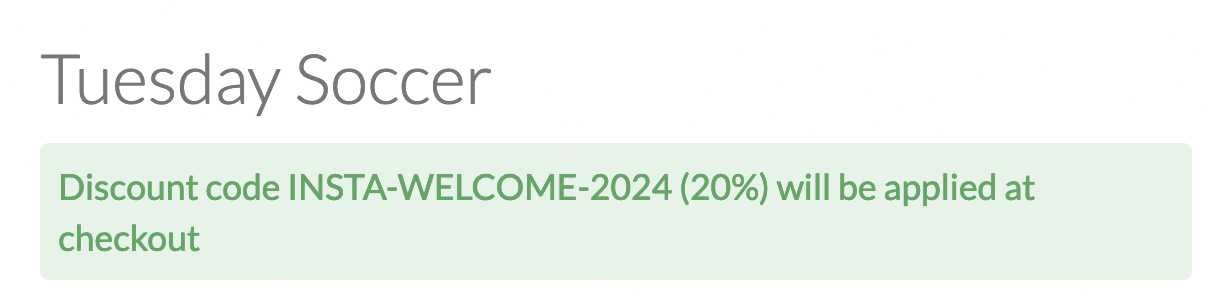
By following these steps, you can create trackable discount links that are convenient for users, especially those coming from promotional ads or social media platforms. Be sure to look at the discount reports to see how many people are applying these new discounts and track which links are bringing in the most revenue.